Electronics Workstation
Fully equipped benches for soldering, circuit design, embedded programming, and electronics prototyping. A comprehensive component library is available on-site. KEC students and staff pay market price for components used.
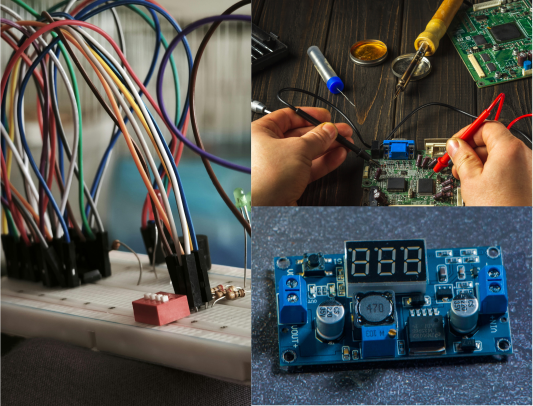
Equipment at Each Bench
Bench Equipment
- Digital oscilloscope
- Bench power supply (variable V/A)
- Soldering station (temperature controlled)
- Multimeter
- Function / signal generator
Component Library
- Resistors, capacitors, inductors
- Transistors, MOSFETs, diodes
- Arduino Uno & Nano
- ESP32, Raspberry Pi
- Sensors, displays, modules
- Jumper wires, breadboards, PCB stock
Software
- Arduino IDE
- VS Code + PlatformIO
- KiCad (PCB design)
- EasyEDA (browser-based)
- Python / Jupyter
New to Electronics?
A simple flow for going from idea to working circuit.
Define what you want to build
What should your circuit do? Sense something, control something, display something? Sketch the logic on paper (inputs, processing, outputs). This becomes your circuit design brief.
Prototype on a breadboard
Before soldering anything, wire it up on a breadboard. This lets you test and change connections without permanent commitment. Grab components from the library, follow a schematic, and test with the multimeter and oscilloscope.
Write and upload your code
If your project uses a microcontroller (Arduino, ESP32), write your firmware in Arduino IDE or VS Code. Upload it and test. Iterate between code and hardware until behavior is correct.
Solder to a permanent board
Once the breadboard circuit works, transfer it to a perfboard or design a PCB in KiCad / EasyEDA. Solder carefully, the station is temperature-controlled. Use flux and take your time.
Test, debug, and enclose
Run your complete circuit, debug as needed, and once it works you can design an enclosure on the 3D printers or laser cutter for a finished product.
Training & Booking
Training
- Training required before independent use
- Covers safe soldering, bench equipment use
- Conducted by Bistrit & Jibi
- Ends with a 10-minute quiz
- Pass = certified, permanent access
Booking
- Walk in during open hours (Sun–Fri 9–5)
- Or reserve a bench slot in advance
- Max 4 hours per session
- Cancel 2+ hours before to avoid penalty